

You need the best affordable USB Bluetooth Adapters for PCs when you want to connect multiple wireless devices. The problem with computers and multiple devices is the limited number of USB ports as well as the lack of USB connectivity. If your computer or your laptop doesn’t come with an integrated Bluetooth chip, you can add this functionality by purchasing an accessory called a USB Bluetooth Adapter.
This small adapter comes with a Bluetooth chip that transfers wireless data to your computer either through Bluetooth 4.0 or through Bluetooth 5.0.
Often very small in size, these adapters are also accessories that don’t take up too much space and they can be permanently attached to your computer. All you need is a free USB port for your computer to benefit from enhanced Bluetooth functionality.
Top 3 best affordable USB adapters for Pcs
Best overall – Avantree DG40S Bluetooth USB Adapter for PC
The Bluetooth adapter is the top choice for most home users.
Best for affordability – Mpow Bluetooth 4.0 USB Dongle Adapter
With a low acquisition cost, the Bluetooth adapter resonates with users on a budget.
Best for multimedia – Huet USB 5.0 Bluetooth Adapter
With integrated audio control, the Bluetooth adapter is specifically made for music fans.

1. Avantree DG40S Bluetooth USB Adapter for PC
The affordable Avantree Bluetooth USB adapter impresses with its ease of use and its performance. As almost all adapters, it doesn’t require driver installation when you plug it in a computer that runs Windows 10. It’s plug and play design is useful to all users as there’s no software to worry about.
The range of these small adapters is limited to 10 meters. However, this is a good range given most users only need it for smartphones, Bluetooth speakers, and headphones. You can still move around a room freely with your Bluetooth headphones within the range without any signal losses.
Other users simply prefer to use it for computer accessories such as a Bluetooth keyboard or a Bluetooth mouse. If you own a laptop without Bluetooth connectivity, you might need an external keyboard for work just to be able to type a bit better. Such an adapter is what you need to make the keyboard compatible with the laptop.
With a transfer speed of up to 3Mpbs, the adapter is compatible with most of these products. However, it is not compatible with more demanding applications with products such as gaming consoles or long-range audio headphones.
Features
- Based on Bluetooth 4.0
- Transfer rate of up to 3Mbps
- Made with an LED power indicator
[amalinkspro type=”showcase” asin=”” apilink=”https://amzn.to/3iBDpGe” new-window=”true” addtocart=”false” nofollow=”true” sc-id=”4″ imgs=”%3Ca%20href%3D%22https%3A%2F%2Fwww.amazon.co.uk%2FAvantree-Bluetooth-Adapter-Computer-Keyboard%2Fdp%2FB00VWEK4IG%2Fref%3Das_li_ss_il%3Fdchild%3D1%26keywords%3DAvantree%2BDG40S%2BBluetooth%2BUSB%2BAdapter%2Bfor%2BPC%26qid%3D1601916311%26sr%3D8-1-spons%26psc%3D1%26spLa%3DZW5jcnlwdGVkUXVhbGlmaWVyPUFWWENKOEpENFhBQ0EmZW5jcnlwdGVkSWQ9QTA5NDQ2MjJPTjUwRzFDQVNROU4mZW5jcnlwdGVkQWRJZD1BMDU0NDY0OTIzOURTUDYwS0FMNjUmd2lkZ2V0TmFtZT1zcF9hdGYmYWN0aW9uPWNsaWNrUmVkaXJlY3QmZG9Ob3RMb2dDbGljaz10cnVl%26linkCode%3Dli3%26tag%3Ddigihelpdesk-21%26linkId%3D81d47a083a39862a162c8e43caa946db%26language%3Den_GB%22%20target%3D%22_blank%22%3E%3Cimg%20border%3D%220%22%20src%3D%22%2F%2Fws-eu.amazon-adsystem.com%2Fwidgets%2Fq%3F_encoding%3DUTF8%26ASIN%3DB00VWEK4IG%26Format%3D_SL250_%26ID%3DAsinImage%26MarketPlace%3DGB%26ServiceVersion%3D20070822%26WS%3D1%26tag%3Ddigihelpdesk-21%26language%3Den_GB%22%20%3E%3C%2Fa%3E%3Cimg%20src%3D%22https%3A%2F%2Fir-uk.amazon-adsystem.com%2Fe%2Fir%3Ft%3Ddigihelpdesk-21%26language%3Den_GB%26l%3Dli3%26o%3D2%26a%3DB00VWEK4IG%22%20width%3D%221%22%20height%3D%221%22%20border%3D%220%22%20alt%3D%22%22%20style%3D%22border%3Anone%20!important%3B%20margin%3A0px%20!important%3B%22%20%2F%3E” link-imgs=”false” specs=”Made with an LED power indicator~~~Transfer rate of up to 3Mbps~~~Based on Bluetooth 4.0″ btn-color=”#ff9900″ btn-text=”View on Amazon” alignment=”aligncenter” hide-prime=”0″ hide-image=”0″ hide-price=”0″ hide-button=”0″ width=”1200″]Avantree DG40S Bluetooth USB Adapter for PC[/amalinkspro]
2. Mpow Bluetooth 4.0 USB Dongle Adapter
You need the Mpow Bluetooth adapter if your computer runs an older version of Windows. All computers running Windows 8.1 or Windows 7 can run it and this is why Mpow even included an installation CD with the dongle in case the older-generation computer doesn’t recognize the dongle.
Based on Bluetooth 2.0, the adapter is responsive with transfer speeds of up to 3Mbps. You can use it on desktop PCs and Windows laptops but not in Linux or Mac computers. It comes with a dual transmission mode for both data and audio files.
The Bluetooth adapter can be used to quickly transfer photos from your digital camera. It also supports Bluetooth headphones where you can privately listen to music without disturbing those in the house. If you’re interested in PC gaming, the adapter can also be used with Bluetooth gamepads that are also wireless.
With a reduced size, the Bluetooth adapter is also very small and ready for travel. You can attach it to your laptop when away from home. Most users tend to lose their Bluetooth adapters when transported otherwise.
Features
- Compatible with all versions of Windows
- 33 Bluetooth range
- It works with Bluetooth printing
[amalinkspro type=”showcase” asin=”” apilink=”https://amzn.to/2SsrHmX” new-window=”true” addtocart=”false” nofollow=”true” sc-id=”4″ imgs=”%3Ca%20href%3D%22https%3A%2F%2Fwww.amazon.co.uk%2FMpow-Bluetooth-Transmitter-Receiver-Supports%2Fdp%2FB06XPCVB4F%2Fref%3Das_li_ss_il%3Fdchild%3D1%26keywords%3DMpow%2BBluetooth%2B4.0%2BUSB%2BDongle%2BAdapter%26qid%3D1601916352%26sr%3D8-3%26linkCode%3Dli3%26tag%3Ddigihelpdesk-21%26linkId%3Dca4453486281e9dd5d18aa045e0e83fa%26language%3Den_GB%22%20target%3D%22_blank%22%3E%3Cimg%20border%3D%220%22%20src%3D%22%2F%2Fws-eu.amazon-adsystem.com%2Fwidgets%2Fq%3F_encoding%3DUTF8%26ASIN%3DB06XPCVB4F%26Format%3D_SL250_%26ID%3DAsinImage%26MarketPlace%3DGB%26ServiceVersion%3D20070822%26WS%3D1%26tag%3Ddigihelpdesk-21%26language%3Den_GB%22%20%3E%3C%2Fa%3E%3Cimg%20src%3D%22https%3A%2F%2Fir-uk.amazon-adsystem.com%2Fe%2Fir%3Ft%3Ddigihelpdesk-21%26language%3Den_GB%26l%3Dli3%26o%3D2%26a%3DB06XPCVB4F%22%20width%3D%221%22%20height%3D%221%22%20border%3D%220%22%20alt%3D%22%22%20style%3D%22border%3Anone%20!important%3B%20margin%3A0px%20!important%3B%22%20%2F%3E” link-imgs=”false” specs=”Compatible with all versions of Windows~~~It works with Bluetooth printing~~~33 Bluetooth range” btn-color=”#ff9900″ btn-text=”View on Amazon” alignment=”aligncenter” hide-prime=”0″ hide-image=”0″ hide-price=”0″ hide-button=”0″ width=”750″]Mpow Bluetooth 4.0 USB Dongle Adapter[/amalinkspro]
3. TP-LINK UB4A Nano USB Bluetooth 4.0 Adapter
If you need a product made by a reputable company, TP-LINK’s Nano USB Bluetooth adapter is the right choice. This computer accessory is one of the smallest in the world. It’s even smaller than a 1-pound coin. You can rely on it for almost any Bluetooth application either around the house or at the office.
A plug and play design make it easy to use. As one of the best affordable USB Bluetooth adapters for PCs, it also comes with a driver on a CD in case your computer has a difficult time automatically recognizing it.
Based on Bluetooth 4.0, the adapter covers a large area of the house. Its long-range 20m performance makes it one of the best nanodevices for the amount of space it truly covers. Your computer can even be in a different room and you could be listening to music on your Bluetooth headphones in another room.
Since the range is good and the data transfer speed is also good, you can use the little adapter for video calls as well. Skype calls can be directed from your computer to your smartphone without interruptions.
Features
- Made with an ultra-small nanosize
- Compatible with Windows 10
- It runs on low energy
[amalinkspro type=”showcase” asin=”” apilink=”https://amzn.to/33vItaP” new-window=”true” addtocart=”false” nofollow=”true” sc-id=”4″ imgs=”%3Ca%20href%3D%22https%3A%2F%2Fwww.amazon.co.uk%2FTP-LINK-UB4A-Bluetooth-Computer-Receiver%2Fdp%2FB07YLDVM6B%2Fref%3Das_li_ss_il%3Fdchild%3D1%26keywords%3DTP-LINK%2BUB4A%2BNano%2BUSB%2BBluetooth%2B4.0%2BAdapter%26qid%3D1601916385%26sr%3D8-3%26linkCode%3Dli3%26tag%3Ddigihelpdesk-21%26linkId%3D9c7cc5aa1fbb048d77d86709262c75c3%26language%3Den_GB%22%20target%3D%22_blank%22%3E%3Cimg%20border%3D%220%22%20src%3D%22%2F%2Fws-eu.amazon-adsystem.com%2Fwidgets%2Fq%3F_encoding%3DUTF8%26ASIN%3DB07YLDVM6B%26Format%3D_SL250_%26ID%3DAsinImage%26MarketPlace%3DGB%26ServiceVersion%3D20070822%26WS%3D1%26tag%3Ddigihelpdesk-21%26language%3Den_GB%22%20%3E%3C%2Fa%3E%3Cimg%20src%3D%22https%3A%2F%2Fir-uk.amazon-adsystem.com%2Fe%2Fir%3Ft%3Ddigihelpdesk-21%26language%3Den_GB%26l%3Dli3%26o%3D2%26a%3DB07YLDVM6B%22%20width%3D%221%22%20height%3D%221%22%20border%3D%220%22%20alt%3D%22%22%20style%3D%22border%3Anone%20!important%3B%20margin%3A0px%20!important%3B%22%20%2F%3E” link-imgs=”false” specs=”Made with an ultra-small nanosize~~~Compatible with Windows 10~~~It runs on low energy” btn-color=”#ff9900″ btn-text=”View on Amazon” alignment=”aligncenter” hide-prime=”0″ hide-image=”0″ hide-price=”0″ hide-button=”0″ width=”750″]TP-LINK UB4A Nano USB Bluetooth 4.0 Adapter[/amalinkspro]
4. Mpow Bluetooth 5.0 USB Adapter
Based on Bluetooth 5.0 technology, the USB adapter is recommended for continuous use with its low power consumption. It consumes around 50% less energy than its 4.0 alternative making it a good solution for PCs with multiple connected devices and accessories.
The range of technology is also superior. Up to 66 feet or 20 meters, it allows all users reliable connectivity with all devices. The extended range might also make it one of the best affordable USB Bluetooth adapters for PCs at the office where wide-open spaces are the norm.
Data transfer is also fast with this little adapter. With transfer speeds of up to 2Mpbs, you won’t need to wait too long for your photos or files to transfer to the personal computer through Bluetooth.
But you can also use it at home where you already have a wireless router. The small adapter doesn’t interfere with 2.4Ghz WiFi signals.
But we also like the built-in blue LED indicator of the adapter. You always know when it’s powered even without checking it physically. If you take it out from the computer frequently, the adapter is great for eliminating guesswork.
Features
- Based on fast Bluetooth 5.0
- It doesn’t interfere with WiFi 2.4Ghz networks
- Compatible with up to 4 connected devices
[amalinkspro type=”showcase” asin=”” apilink=”https://amzn.to/2SqrbWx” new-window=”true” addtocart=”false” nofollow=”true” sc-id=”4″ imgs=”%3Ca%20href%3D%22https%3A%2F%2Fwww.amazon.co.uk%2FMpow-Bluetooth-Supports-Keyboard-Printers%2Fdp%2FB086W33QDW%2Fref%3Das_li_ss_il%3Fdchild%3D1%26keywords%3DMpow%2BBluetooth%2B5.0%2BUSB%2BAdapter%26qid%3D1601916438%26sr%3D8-3%26linkCode%3Dli3%26tag%3Ddigihelpdesk-21%26linkId%3Dbabe63ddaf53bb9a4573a17100de3767%26language%3Den_GB%22%20target%3D%22_blank%22%3E%3Cimg%20border%3D%220%22%20src%3D%22%2F%2Fws-eu.amazon-adsystem.com%2Fwidgets%2Fq%3F_encoding%3DUTF8%26ASIN%3DB086W33QDW%26Format%3D_SL250_%26ID%3DAsinImage%26MarketPlace%3DGB%26ServiceVersion%3D20070822%26WS%3D1%26tag%3Ddigihelpdesk-21%26language%3Den_GB%22%20%3E%3C%2Fa%3E%3Cimg%20src%3D%22https%3A%2F%2Fir-uk.amazon-adsystem.com%2Fe%2Fir%3Ft%3Ddigihelpdesk-21%26language%3Den_GB%26l%3Dli3%26o%3D2%26a%3DB086W33QDW%22%20width%3D%221%22%20height%3D%221%22%20border%3D%220%22%20alt%3D%22%22%20style%3D%22border%3Anone%20!important%3B%20margin%3A0px%20!important%3B%22%20%2F%3E” link-imgs=”false” specs=”It doesn’t interfere with WiFi 2.4Ghz networks~~~Compatible with up to 4 connected devices~~~Based on fast Bluetooth 5.0~~~~~~It doesn’t interfere with WiFi 2.4Ghz networks~~~Compatible with up to 4 connected devices~~~Based on fast Bluetooth ” btn-color=”#ff9900″ btn-text=”View on Amazon” alignment=”aligncenter” hide-prime=”0″ hide-image=”0″ hide-price=”0″ hide-button=”0″ width=”750″]Mpow Bluetooth 5.0 USB Adapter[/amalinkspro]
5. HUET USB 5.0 Bluetooth Adapter
If you need a multifunctional USB Bluetooth adapter, your options can be limited. HUET is known for creating the best affordable USB Bluetooth Adapters for multiple devices with controls and a built-in display. You can use it to connect simultaneous devices to your computer.
You can even add the PC Bluetooth adapter to your TV for Bluetooth headphones when needed. There’s even an AUX audio hole so that you can connect your jack-wired headphones to a PC or a TV even if they don’t have a Bluetooth function.
Up to 8 devices can be paired with the capable Bluetooth adapter. However, you should note its considerably larger than all other alternatives on the list. This can be troublesome when travelling with a laptop but it might also limit the position in which it can be used on a desktop computer.
Features
- Made with an LCD screen
- Based on fast Bluetooth 5.0
- Designed with audio volume controllers
[amalinkspro type=”showcase” asin=”” apilink=”https://amzn.to/3iylrVd” new-window=”true” addtocart=”false” nofollow=”true” sc-id=”4″ imgs=”%3Ca%20href%3D%22https%3A%2F%2Fwww.amazon.co.uk%2FHUET-Bluetooth-Receiver-Transmitter-Headphones-Black%2Fdp%2FB08HCLWXFZ%2Fref%3Das_li_ss_il%3Fdchild%3D1%26keywords%3DHUET%2BUSB%2B5.0%2BBluetooth%2BAdapter%26qid%3D1601916478%26sr%3D8-3%26linkCode%3Dli3%26tag%3Ddigihelpdesk-21%26linkId%3D7327d28ac7ce23ff204a159c59d40188%26language%3Den_GB%22%20target%3D%22_blank%22%3E%3Cimg%20border%3D%220%22%20src%3D%22%2F%2Fws-eu.amazon-adsystem.com%2Fwidgets%2Fq%3F_encoding%3DUTF8%26ASIN%3DB08HCLWXFZ%26Format%3D_SL250_%26ID%3DAsinImage%26MarketPlace%3DGB%26ServiceVersion%3D20070822%26WS%3D1%26tag%3Ddigihelpdesk-21%26language%3Den_GB%22%20%3E%3C%2Fa%3E%3Cimg%20src%3D%22https%3A%2F%2Fir-uk.amazon-adsystem.com%2Fe%2Fir%3Ft%3Ddigihelpdesk-21%26language%3Den_GB%26l%3Dli3%26o%3D2%26a%3DB08HCLWXFZ%22%20width%3D%221%22%20height%3D%221%22%20border%3D%220%22%20alt%3D%22%22%20style%3D%22border%3Anone%20!important%3B%20margin%3A0px%20!important%3B%22%20%2F%3E” link-imgs=”false” specs=”Designed with audio volume controllers~~~Based on fast Bluetooth 5.0~~~Made with an LCD screen” btn-color=”#ff9900″ btn-text=”View on Amazon” alignment=”aligncenter” hide-prime=”0″ hide-image=”0″ hide-price=”0″ hide-button=”0″ width=”750″]HUET USB 5.0 Bluetooth Adapter[/amalinkspro]
6. Royeo Bluetooth 5.0 Adapter for PC
The compact adapter works on fast Bluetooth 5.0. It represents a viable option for a long-range of 66 feet which covers small apartments or an entire floor level of a house.
We like the fast connectivity of the adapter for that it can be used with Bluetooth printers. You can buy a Wireless Bluetooth printer for your home even if your computer doesn’t have a built-in Bluetooth chip.
Other products compatible with the adapter include the Bluetooth projector. It gives you all of the freedom you need to watch movies and videos on a different scale, even if your old computer doesn’t have native Bluetooth connectivity.
Features
- Compatible with all Bluetooth devices
- Based on low power consumption
- Made with long-range coverage
[amalinkspro type=”showcase” asin=”” apilink=”https://amzn.to/36vN6DX” new-window=”true” addtocart=”false” nofollow=”true” sc-id=”4″ imgs=”%3Ca%20href%3D%22https%3A%2F%2Fwww.amazon.co.uk%2FROYEO-Bluetooth-Wireless-Transmitter-Receiver%2Fdp%2FB08HQ82641%2Fref%3Das_li_ss_il%3Fdchild%3D1%26keywords%3DRoyeo%2BBluetooth%2B5.0%2BAdapter%2Bfor%2BPC%26qid%3D1601916496%26sr%3D8-3%26linkCode%3Dli3%26tag%3Ddigihelpdesk-21%26linkId%3D33601bb9c67e511d40a27cde82e4a466%26language%3Den_GB%22%20target%3D%22_blank%22%3E%3Cimg%20border%3D%220%22%20src%3D%22%2F%2Fws-eu.amazon-adsystem.com%2Fwidgets%2Fq%3F_encoding%3DUTF8%26ASIN%3DB08HQ82641%26Format%3D_SL250_%26ID%3DAsinImage%26MarketPlace%3DGB%26ServiceVersion%3D20070822%26WS%3D1%26tag%3Ddigihelpdesk-21%26language%3Den_GB%22%20%3E%3C%2Fa%3E%3Cimg%20src%3D%22https%3A%2F%2Fir-uk.amazon-adsystem.com%2Fe%2Fir%3Ft%3Ddigihelpdesk-21%26language%3Den_GB%26l%3Dli3%26o%3D2%26a%3DB08HQ82641%22%20width%3D%221%22%20height%3D%221%22%20border%3D%220%22%20alt%3D%22%22%20style%3D%22border%3Anone%20!important%3B%20margin%3A0px%20!important%3B%22%20%2F%3E” link-imgs=”false” specs=”Compatible with all Bluetooth devices~~~Based on low power consumption~~~Made with long-range coverage” btn-color=”#ff9900″ btn-text=”View on Amazon” alignment=”aligncenter” hide-prime=”0″ hide-image=”0″ hide-price=”0″ hide-button=”0″ width=”750″]HUET USB 5.0 Bluetooth Adapter[/amalinkspro]
7. Sabrent USB Bluetooth 4.0 Micro Adapter
Compatible with Windows and Linux PCs, the small adapter is versatile for office and home use. It features all of the connectivity benefits you expect from such devices. You can use it to leverage Bluetooth connectivity with Bluetooth printers, both residential and for business prints.
Internet access is also enabled through Bluetooth connectivity. It represents a top option for those who need to access the internet on their devices through their PC. But the biggest asset of this small Bluetooth micro USB adapter is its Linux compatibility. If you run the latest version of Ubuntu on your computer, this might be the no-headaches and best affordable USB Bluetooth adapter for PC benefits, especially for network and other Linux-specific functionalities.
Features
- Compatible with Windows and Linux computers
- It only weighs 31 grams
- Shipped with an installation CD
[amalinkspro type=”showcase” asin=”” apilink=”https://amzn.to/2F2CVLE” new-window=”true” addtocart=”false” nofollow=”true” sc-id=”4″ imgs=”%3Ca%20href%3D%22https%3A%2F%2Fwww.amazon.co.uk%2FSabrent-Bluetooth-Adapter-Technology-BT-UB40%2Fdp%2FB06XHY5VXF%2Fref%3Das_li_ss_il%3Fdchild%3D1%26keywords%3DSabrent%2BUSB%2BBluetooth%2B4.0%2BMicro%2BAdapter%26qid%3D1601916515%26sr%3D8-3%26linkCode%3Dli3%26tag%3Ddigihelpdesk-21%26linkId%3Dab613478773234defbf0c93b95b6f9f3%26language%3Den_GB%22%20target%3D%22_blank%22%3E%3Cimg%20border%3D%220%22%20src%3D%22%2F%2Fws-eu.amazon-adsystem.com%2Fwidgets%2Fq%3F_encoding%3DUTF8%26ASIN%3DB06XHY5VXF%26Format%3D_SL250_%26ID%3DAsinImage%26MarketPlace%3DGB%26ServiceVersion%3D20070822%26WS%3D1%26tag%3Ddigihelpdesk-21%26language%3Den_GB%22%20%3E%3C%2Fa%3E%3Cimg%20src%3D%22https%3A%2F%2Fir-uk.amazon-adsystem.com%2Fe%2Fir%3Ft%3Ddigihelpdesk-21%26language%3Den_GB%26l%3Dli3%26o%3D2%26a%3DB06XHY5VXF%22%20width%3D%221%22%20height%3D%221%22%20border%3D%220%22%20alt%3D%22%22%20style%3D%22border%3Anone%20!important%3B%20margin%3A0px%20!important%3B%22%20%2F%3E” link-imgs=”false” specs=”Compatible with Windows and Linux computers~~~Shipped with an installation CD~~~It only weighs 31 grams” btn-color=”#ff9900″ btn-text=”View on Amazon” alignment=”aligncenter” hide-prime=”0″ hide-image=”0″ hide-price=”0″ hide-button=”0″ width=”750″]Sabrent USB Bluetooth 4.0 Micro Adapter[/amalinkspro]
8. Reuuy Bluetooth Receiver and Transmitter
The Bluetooth receiver and transmitter is one of the adapters you can use if you have privacy concerns. It can work only as a transmitter or as a receiver using a simple physical switch that changes these modes.
With a maximum transmission range of up to 10 meters, it’s not the leading option for large rooms. But if your PC mostly sits in a small room or if you use Bluetooth devices close to your computer, it might be more than enough. Otherwise, it comes with automatic software recognition.
Features
- Included 3.5mm audio adapter
- Compatible with TVs and computers
- It only weighs 20 grams
[amalinkspro type=”showcase” asin=”” apilink=”https://amzn.to/3cZ90k9″ new-window=”true” addtocart=”false” nofollow=”true” sc-id=”4″ imgs=”%3Ca%20href%3D%22https%3A%2F%2Fwww.amazon.co.uk%2FREUUY-Bluetooth-Receiver-Transmitter-Wireless%2Fdp%2FB08F25G974%2Fref%3Das_li_ss_il%3Fdchild%3D1%26keywords%3DReuuy%2BBluetooth%2BReceiver%2Band%2BTransmitter%26qid%3D1601916537%26sr%3D8-3%26linkCode%3Dli3%26tag%3Ddigihelpdesk-21%26linkId%3D3ed8268ca79ff33b881083b49d68a497%26language%3Den_GB%22%20target%3D%22_blank%22%3E%3Cimg%20border%3D%220%22%20src%3D%22%2F%2Fws-eu.amazon-adsystem.com%2Fwidgets%2Fq%3F_encoding%3DUTF8%26ASIN%3DB08F25G974%26Format%3D_SL250_%26ID%3DAsinImage%26MarketPlace%3DGB%26ServiceVersion%3D20070822%26WS%3D1%26tag%3Ddigihelpdesk-21%26language%3Den_GB%22%20%3E%3C%2Fa%3E%3Cimg%20src%3D%22https%3A%2F%2Fir-uk.amazon-adsystem.com%2Fe%2Fir%3Ft%3Ddigihelpdesk-21%26language%3Den_GB%26l%3Dli3%26o%3D2%26a%3DB08F25G974%22%20width%3D%221%22%20height%3D%221%22%20border%3D%220%22%20alt%3D%22%22%20style%3D%22border%3Anone%20!important%3B%20margin%3A0px%20!important%3B%22%20%2F%3E” link-imgs=”false” specs=”Compatible with TVs and computers~~~Included 3.5mm audio adapter~~~It only weighs 20 grams” btn-color=”#ff9900″ btn-text=”View on Amazon” alignment=”aligncenter” hide-prime=”0″ hide-image=”0″ hide-price=”0″ hide-button=”0″ width=”750″]Reuuy Bluetooth Receiver and Transmitter[/amalinkspro]
9. Maxesla Bluetooth 4.0 USB Dongle Adapter
The compact Bluetooth dongle adapter is among the options you have when you need an ultra-small form factor. In some cases, there’s no point in looking after large best affordable USB Bluetooth Adapters that simply take up too much space.
With Bluetooth Low Energy (BLE) technology, the small adapter is made for low power consumption which it drives through the USB port. Still, it works with high data transfer speeds of up to 3Mbps.
Compatible with all Bluetooth devices, the adapter also works with Bluetooth 2.0 and Bluetooth 3.0 gadgets. Its wide compatibility also recommends it for older devices and older computers.
Features
- It covers up to 66 feet in open space
- Made with an ultra-small form factor
- It runs on all Windows operating systems
[amalinkspro type=”showcase” asin=”” apilink=”https://amzn.to/3jtwaS5″ new-window=”true” addtocart=”false” nofollow=”true” sc-id=”4″ imgs=”%3Ca%20href%3D%22https%3A%2F%2Fwww.amazon.co.uk%2FMaxesla-Bluetooth-Wireless-Transmitter-Controller%2Fdp%2FB0126XU9CM%2Fref%3Das_li_ss_il%3Fdchild%3D1%26keywords%3DMaxesla%2BBluetooth%2B4.0%2BUSB%2BDongle%2BAdapter%26qid%3D1601916571%26sr%3D8-1-spons%26psc%3D1%26spLa%3DZW5jcnlwdGVkUXVhbGlmaWVyPUEzUlBLQ1dBMkJZRFJLJmVuY3J5cHRlZElkPUEwNDU3NDE4MTAwWDBZQUM5T1VJVSZlbmNyeXB0ZWRBZElkPUEwOTIwMDY2M0lKQVNGTFoxTjdRWiZ3aWRnZXROYW1lPXNwX2F0ZiZhY3Rpb249Y2xpY2tSZWRpcmVjdCZkb05vdExvZ0NsaWNrPXRydWU%3D%26linkCode%3Dli3%26tag%3Ddigihelpdesk-21%26linkId%3D75b9ecb257407985abf9e9f896a3f12d%26language%3Den_GB%22%20target%3D%22_blank%22%3E%3Cimg%20border%3D%220%22%20src%3D%22%2F%2Fws-eu.amazon-adsystem.com%2Fwidgets%2Fq%3F_encoding%3DUTF8%26ASIN%3DB0126XU9CM%26Format%3D_SL250_%26ID%3DAsinImage%26MarketPlace%3DGB%26ServiceVersion%3D20070822%26WS%3D1%26tag%3Ddigihelpdesk-21%26language%3Den_GB%22%20%3E%3C%2Fa%3E%3Cimg%20src%3D%22https%3A%2F%2Fir-uk.amazon-adsystem.com%2Fe%2Fir%3Ft%3Ddigihelpdesk-21%26language%3Den_GB%26l%3Dli3%26o%3D2%26a%3DB0126XU9CM%22%20width%3D%221%22%20height%3D%221%22%20border%3D%220%22%20alt%3D%22%22%20style%3D%22border%3Anone%20!important%3B%20margin%3A0px%20!important%3B%22%20%2F%3E” link-imgs=”false” specs=”It runs on all Windows operating systems~~~Made with an ultra-small form factor~~~It covers up to 66 feet in open space” btn-color=”#ff9900″ btn-text=”View on Amazon” alignment=”aligncenter” hide-prime=”0″ hide-image=”0″ hide-price=”0″ hide-button=”0″ width=”750″]Maxesla Bluetooth 4.0 USB Dongle Adapter[/amalinkspro]
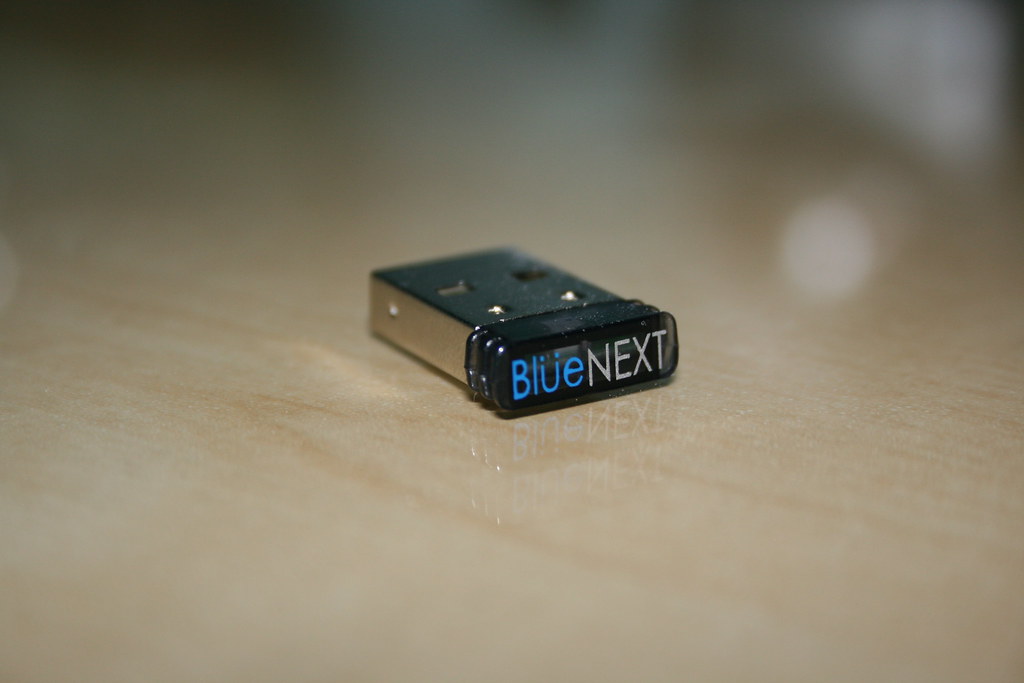
Why choose the best affordable USB Bluetooth adapter for PCs
Some argue it would be easier to purchase a compute that already comes with a built-in Bluetooth adapter. But this means investing in a new setup and simply purchasing an affordable Bluetooth adapter is inexpensive and highly efficient.
Did you know you can connect PC gaming controllers to your computer via a best affordable USB Bluetooth adapter? There are many accessories your computer can be paired with using such a small adapter. The following section looks at the entire spectrum of accessories and why the Bluetooth adapter comes with both benefits and drawbacks.
The main benefits of using a USB Bluetooth adapter for your PC
As expected, even small PC accessories can have a large impact on how we use gadgets today. The list of USB Bluetooth adapter benefits is long but we’ll only have a look at a few of them.
The wireless advantage
The small adapter turns every PC setup into a wireless PC setup. You might struggle with dust and endless cables around your desk. Going wireless as often as possible with every PC accessory or gadget eliminates these cables. Minimalism is a trend in the PC setup world that is based around the concept of decluttering and these adapters are the perfect addition to such setup changes.
Low power consumption
A USB adapter doesn’t need extra power from a wall plug. It gets all the power it needs directly through the PC’s motherboard which means it’s not complicated to install. This is not often the case. For example, even some of the best video cards require separate power cables to run on a computer.
Compact form factor
All the best affordable USB Bluetooth Adapters are small. You can remove them from the USB port with your fingers only. Since they’re so small, the USB adapters can also be considered for both home and office use. If you like to use your keyboard and mouse both at home and the office, you can try a Bluetooth setup with an adapter you can use on your office workstation and your home PC.
Safety considerations
It’s generally safe to use the best affordable USB Bluetooth adapter. You can use one with high-security filters. For example, no user can authenticate on your connection without your approval as your USB adapter requires your approval when others try to connect to it.
Mobile device compatibility
One of the main advantages of using Bluetooth on your PC is mobile device compatibility. You can connect your smartphone as well as digital cameras or tablets to the computer. Bluetooth adapters can also be used to connect TVs, headphones, and tech wearables.
Without using any cables, your smartphone quickly sends and receives data from a PC through Bluetooth. Based on transfer speeds between 1Mb and 3Mb per second, the Bluetooth functionality of the adapters is what it’s all about when it comes to fast transmission, considerably superior even to some cable-based data transfer.
Easy installation
Did you know you don’t need software to install the average Bluetooth adapter? The days of installing drivers are now over and if you use an updated version of Windows 10 you get a plug and play functionality on your Bluetooth adapter. This also means you get the chance of using your adapter on multiple computers.
If you use the adapter at the office, you can simply unplug it and plug it to a new computer as often as needed. If you change the desk you work at frequently, this is a top advantage. On the other hand, you might own a computer to use at home and a laptop to use while away. You can toggle the adapter between the 2 computers with the same plug and play functionality as needed.
Most users don’t need to worry about drivers either. Your USB Bluetooth adapter needs to run without any drivers if you have a Windows version with all the updates installed. But how do you know if you need a driver in the first place? If your computer prompts a message that an unrecognized device has been plugged in, it’s an indication driver installation is needed.
You also need to download the official driver or have it installed from a CD. After driver installation, your Bluetooth adapter might still be unrecognized by your PC. You need to restart your computer for the added software changes to run for the first time.
Compatibility with multiple devices
When it comes to Bluetooth functionality, you’ll be gladly surprised to know some of these adapters can be connected with multiple devices. But in most cases, the connectivity with a device such as headphones is limited. In rare cases, the adapter can work with multiple headphones at a time.
The main drawbacks of using a USB Bluetooth adapter for your PC
As with any device, a USB Bluetooth adapter has its drawbacks. You need to look past their benefits to truly understand what these little devices come with.
The extra cost for PC accessories
If you decide to only use wireless computer accessories such as WiFi keyboards, you are going to pay more for them. Unlike a wired mouse, a wireless mouse generally costs more. This also applies to all other PC accessories you might want to connect to your computer. While the adapter itself is inexpensive, the devices it connects are generally more expensive than their wired alternatives.
Some adapters require installation
Since not all USB Bluetooth adapters come with a plug and play functionality, you need to prepare yourself for an installation process. This might be straightforward on Windows 10 or a bit more complex if you don’t have a driver and if you use an older generation of Windows.
Very easy to lose
Due to the small form factor, it’s very easy to lose a Bluetooth adapter. Most users end up losing these adapters when they’re used on laptops when they end up taking them outside of the home. Given their small value, this might not be the biggest cause of concern when purchasing a USB Bluetooth adapter.
[amalinkspro_table id=”20699″ aff-id=”undefined” new-window=”on” nofollow=”on” addtocart=”off” /]
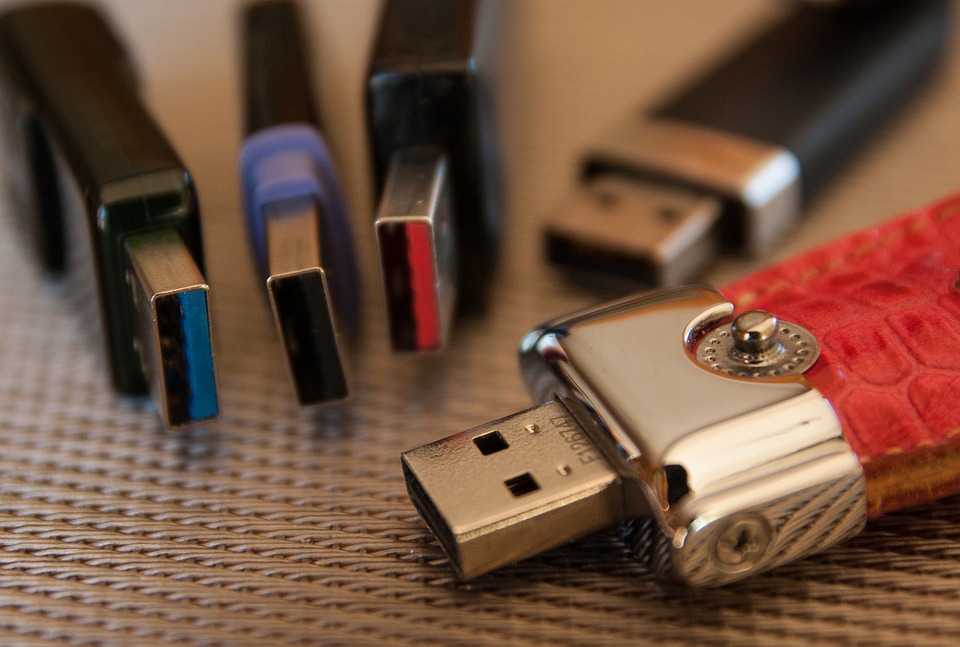
How to choose the best USB Bluetooth adapter?
All the best affordable USB Bluetooth Adapters come with Bluetooth 4.0 and USB 2.0 technology. Users note all of them are similar and they can be very little between them. Furthermore, since most are made by smaller companies that you probably haven’t heard of before, the choice is even more confusing. The following section tries to separate a few of the basic USB Bluetooth adapter features so that you can choose your own.
Make sure your computer is compatible with Bluetooth adapters
You ensure PC compatibility by looking at the number of USB ports on your motherboard that are free to use. All motherboards come with USB ports but not all of them are free for you to use. One can be used for the keyboard while a second port can be used for the PC mouse. You might even have USB microphones or speakers connected to your PC. This is the main reason you need to consider the free ports you can count on for proper usability.
USB Bluetooth adapter size
You will notice most USB adapters come in a small form factor. These are often called nano adapters due to their reduced size. But not all of them look the same. Some come with a square design while others feature rounded edges and built-in LED lights. These choices are still somewhat similar as they can look different but you won’t easily tell the difference due to their small form factor.
USB dongle Windows compatibility
One of the biggest issues these small adapters face is Windows compatibility. Some of the newer adapters are only made to run on Windows 10 without a driver. Others need a driver to run on older Windows versions while some USB adapters don’t work at all on old Windows versions. You need to check your preferred adapter is compatible with the current Windows version on your PC.
Backward compatibility
Most best affordable USB Bluetooth adapters are based on Bluetooth version 4.0. You will notice they can work with smartphones and tablets flawlessly. However, most of them show limitations when it comes to compatibility with previous Bluetooth generation gadgets and PC accessories.
Drivers
You don’t normally need a driver to run a USB Bluetooth adapter. But some of the older Microsoft Windows versions will require some type of CD install for the dongle to run. You need to check if your older Windows 7 version is compatible with your desired pluggable USB adapter. New versions of the operating system such as Windows 10 install the drivers themselves, virtually making the adapter a plug and play device.
Most uses know drivers aren’t required on Windows 10 for USB Bluetooth adapters. This might also apply to Windows 8, Windows 7, and older Windows XP machines either in 32 or 64-bit versions. Devices such as the Xbox One S controller might work with Windows 10 without drivers as well. PS3 and PS4 controllers might require additional driver installation even when running the latest Windows version.
Design
The design of these best affordable USB Bluetooth adapters is simplistic. Since most are made by small companies, there’s no considerable investment in how they look. They serve a function rather than form. You will even struggle to find a USB Bluetooth adapter that’s not black or white if you want to match all of your PC accessories with your computer.
The only design variation that stands out is one of a Bluetooth dongle. This device normally comes with WiFI capabilities. It’s also a bit larger than a standard USB adapter and this means it can require extra space behind your PC or on your laptop.
Don’t expect to find USB Bluetooth adapters from large brands
As noted above, some of the large brands in the PC industry don’t make any USB adapters. You need to juggle between brands you haven’t heard of with brands that have very low customer trust based on poor reviews just to find a Bluetooth adapter that works. Many of them fail even before being used for the first time.
But why do brands avoid these small USB adapters? Most PC accessories that connect via Bluetooth come with their adapters. This means the best Bluetooth keyboard comes with its USB Bluetooth adapter. The story is the same with mice and other PC accessories. There’s no real need for large companies to produce these products.
The low price might also be one of the reasons you need to consider when it comes to the reason we don’t see many large brands in this segment of the market. Most USB Bluetooth adapters only cost a few pounds. The margins are small and for large companies to invest in products that are even seen as disposables might be counterintuitive.
FAQ
What is the best Bluetooth adapter for PC?
The Avantree DG40S Bluetooth USB Adapter for PC is the best overall choice. Its small form construction together with a plug and play design makes it a must-have for all computers without a Bluetooth chip.
Can you add Bluetooth to a PC?
You can add Bluetooth to a PC at a low price by purchasing a USB Bluetooth adapter. As its name suggests, this adapter uses a computer USB port (make sure your computer has one) to add a small dongle with Bluetooth capabilities.
What is the best Bluetooth dongle for Windows 10?
All Bluetooth adapters listed below are compatible with Windows 10. This latest version of Windows normally doesn’t require installing any drivers as it already recognizes these devices accordingly. The only operating systems which might not recognize Bluetooth adapters without a driver are older versions of Windows and their Linux alternatives.
How do I add Bluetooth to my PC Windows 10?
You can add Bluetooth to your PC easily in Windows 10. Since this latest operating system comes with some of the best technologies in Bluetooth communication, it automatically recognizes your new Bluetooth adapter. It also means you don’t have to worry about any installation steps.
What is a plug and play Bluetooth adapter?
Plug and play is a term used to describe the functionality of a device or PC component that can be used without any drivers. You simply plug the device into the computer for it to run for the first time without requiring the user to install additional software.
Are Bluetooth adapters good?
The best affordable USB Bluetooth adapters are as reliable as dedicated computer Bluetooth chips. You can expect them to run flawlessly when your device is in range.
Can I use my phone as a Bluetooth dongle for my PC?
You can use a Bluetooth dongle on your PC if your computer comes with a USB port. Some notebooks don’t come with USB ports just so they can be thinner. But all desktop computers are now made with one or multiple USB ports.
How do I install Bluetooth on my PC?
You don’t need to install Bluetooth on your PC if you use a Bluetooth adapter. Without this physical adapter, no software can replace its functionality.
What is the frequency of a Bluetooth adapter?
The frequency of a Bluetooth adapter is 2.4Ghz. This is not interfering with the 2.4Ghz of the router’s frequency.
What range does a Bluetooth adapter have?
Most Bluetooth adapters listed above have a range between 10 and 20 meters. Bluetooth 5.0 adapters are normally those with the best range compared to Bluetooth 4.0 adapters.
Do I need a USB Bluetooth adapter driver?
You don’t need a USB Bluetooth adapter driver if you run Windows 10, Windows 8, or Windows 7. Microsoft Windows operating systems instantly recognize most USB adapters.
Does my PC support Bluetooth?
Your PC supports Bluetooth if there’s a USB port you can use. If you own an old PC without a USB port, there’s no method of adding Bluetooth to it.
What is BLE in Bluetooth adapters?
Bluetooth Low Energy is a technology that allows USB adapters to run on low power. Every new Bluetooth generation such as its 5th version comes with reduced power consumption that is often included in this technology.
What is Bluetooth dongle for PC?
A Bluetooth dongle for PC is a type of small adapter which you connect via a USB port. It can come in a small nano size or a larger size depending on the potential features it comes with.
Do I need a USB Bluetooth adapter for PCs?
You need a USB Bluetooth technology adapter for your PC if you want fast wireless data transfer. You get some of the best PC accessories when connecting via Bluetooth. But this small adapter also turns old computers without too many wireless connectivity modes into a modern computer that can send and receive data via Bluetooth. Class adapters are also different. Class 1 is made for industrial use while Class 2 best affordable USB Bluetooth adapters are made for home use.
What is the difference between a Bluetooth adapter and a Bluetooth dongle?
Both a Bluetooth adapter and a Bluetooth dongle can be used for the same purpose. However, the Bluetooth dongle usually comes with other WiFi capabilities as well as with different buttons that allow superior customization options.
Why is my Bluetooth data transfer so slow?
If your Bluetooth transfer rate is slow, it might be caused by the WiFi 2.4Ghz simultaneous connectivity from your smartphone or tablet since both runs on the same frequency. Please ensure your WiFi is switched off when the transfer speed of large files via Bluetooth is too slow.
Is a Bluetooth USB adapter good for PC gaming?
Your adapter is good for PC gaming when it works flawlessly. You can connect a gaming controller to your computer so you can play titles such as FIFA a bit better than on a keyboard.
Where can I download drivers for my USB Bluetooth adapter?
You can download drivers for your pluggable USB adapter on the official manufacturer’s website in normal circumstances. This is where you need to select the exact version of Windows your computer is running so that the driver would be compatible with your adapter.
Not all USB Bluetooth adapters require driver installation. You can have your adapter install in a few seconds with automatic plug and play recognition if your run Windows 10 or Windows 8.1 on your PC. These drivers are not compatible with MAC OS computers.
Can I use a USB Bluetooth adapter for calls?
Yes, you can use a USB Bluetooth adapter to receive Skype calls. Devices such as the Mpow Bluetooth 4.0 USB Dongle Adapter are known for their reliability and good call quality. Users even report being able to walk around the room with their Bluetooth headphones during calls without any signal interruptions. A Bluetooth range of up to 10 meters permits such best affordable USB Bluetooth adapters to run with uninterrupted performance.